What Is a Digital Business Card? The Complete Guide
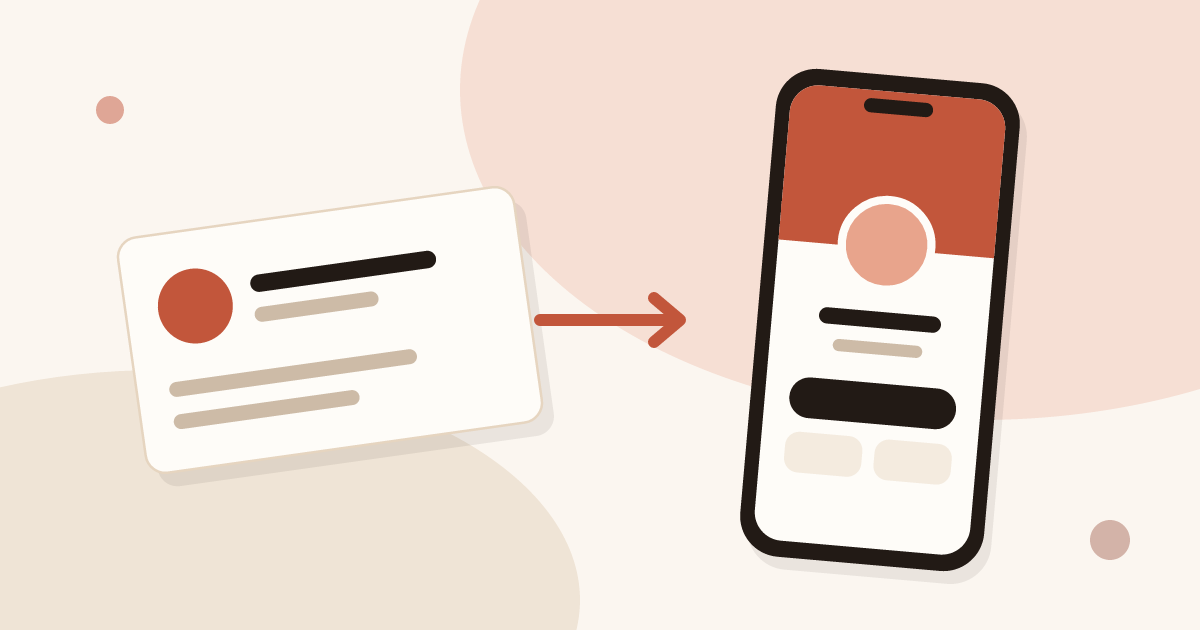
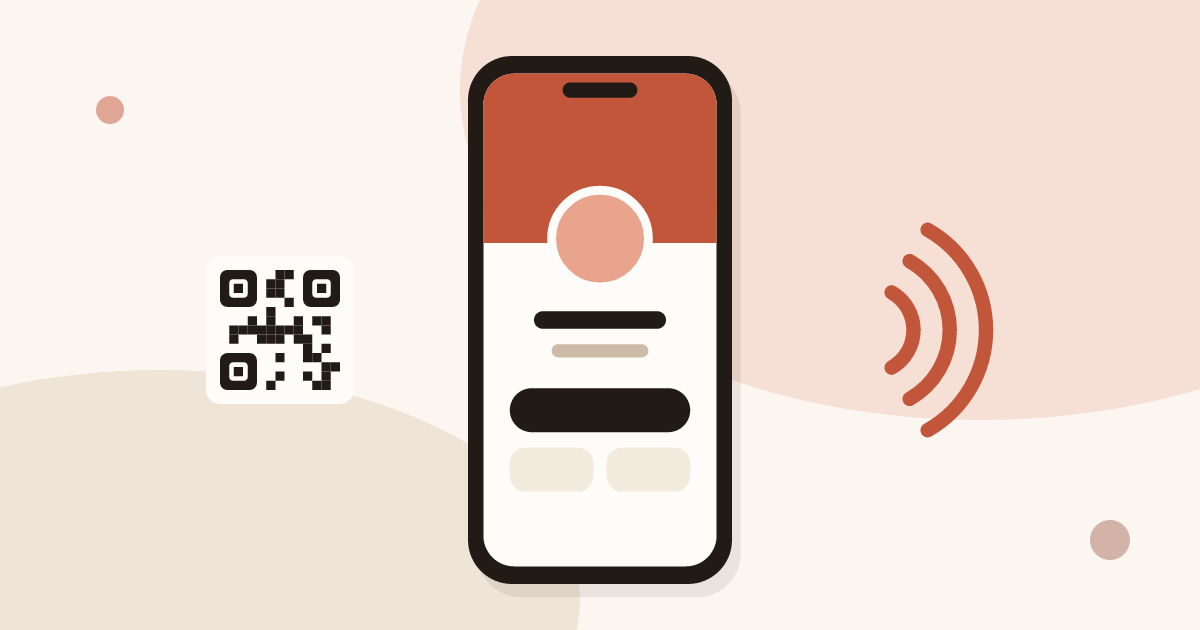
A digital business card is a web page that holds your name, role, photo, contact details and links. You share it with a QR code, an NFC tap, a link or your email signature. The person you meet opens it in their browser, without an app, and saves your details to their phone in one tap.
This is the pillar of our series on digital cards. For the mechanics in depth, read the guide on how digital business cards work. The sections below define the terms, compare paper and digital, and send you to the step-by-step articles.
What is a digital business card?
A digital business card is your business card as a page on the web instead of a rectangle of paper. It carries the same core information: name, job title, company, phone, email, website. It adds items paper has no room for: a photo, a logo, links to your social profiles, a booking link, a map, a short presentation.
Three traits define it:
- It lives at an address. The card has its own link. Anyone with the link can open it, on a phone or a computer.
- It is shared, not handed over. You show a QR code, tap a tag, send the link or put it under your emails. The same card serves every channel.
- It can be edited. You change a phone number once, and every contact who opens the card sees the new number.
The contact does not need an account or an app. They scan, read and save. That is why the format suits a short conversation: nothing to install, nothing to sign up for.
A digital card is not a PDF of your paper card, and it is not a photo of it. A PDF cannot be saved to a phone's contacts in one tap, cannot be updated after it has been sent, and tells you nothing about who opened it. A card published as a web page can do all three.
What are digital business cards made of?
Behind the page, five building blocks come up in most tools. Knowing them helps you read any product description.
- The page. Your content, laid out for a phone screen: identity, buttons to call, write or visit, links, sometimes a short video or a catalogue.
- The link. A short address such as a handle under the tool's domain. Some tools let a team use its own domain.
- The QR code. A square code that points to the link. A phone camera reads it. It can be shown on a screen, printed on a sticker or placed on a paper card.
- The vCard. A standard format for contact details (a .vcf file). The "Save contact" button gives the phone a vCard, so your details land in the address book with the right fields. The article on how to create a vCard covers the format and its limits.
- The extras. An NFC tag or card that opens the link when tapped, a form for the visitor to reply.
A tool is more than the page. The useful difference between products lies in the extras: how you share, the actions open to the contact, and how you follow up afterwards.
What is a virtual business card?
"Virtual business card" is another name for the same thing, used more when the card is sent online: in an email, in a video call, on a professional network profile. It also covers a simpler idea, an image or a PDF of a card. When people search for a virtual card, they often mean one of two things:
- a card they can send remotely, with a link in a chat or an email;
- a card they can display during a video call, as a QR code on screen.
A digital card published as a web page covers both. The link goes in a message, the QR code goes on a shared screen. A flat image does the first job only when the other person accepts to type the details by hand.
What is a business ecard?
"Ecard" and "e-business card" are shorthand for electronic business card. The word is older than the current tools. It has described email attachments, images and apps over the years, so a search for "ecard" returns mixed results.
In practice, treat the words as synonyms of digital card with one caution: check the product itself. Four questions settle it:
- Does the card have its own link that opens in a browser?
- Can the contact save your details in one tap?
- Can you edit it after sharing?
- Does the contact need to install anything?
If the answers are yes, yes, yes and no, you are looking at a digital business card, whatever the label says. The same words also apply to a "contactless business card": the card is handed over without touching paper, by QR code or by NFC.
How does a digital business card work?
The cycle has five steps, from your side and from the other person's side.
- You create the card. You fill in your details, add a photo and links, choose a layout, then publish.
- The card gets its channels. The link and the QR code exist as soon as the card is published. You can add an NFC tag, and put the link in your email signature.
- You share it. In person, the contact scans or taps. Remotely, you send the link.
- The contact opens it. The page loads in their browser. They read, then press "Save contact" to add you to their address book.
- You edit when needed. A change goes live as soon as you save. The QR code, the link and the NFC tag keep pointing to the same card, so nothing has to be reprinted or sent again.
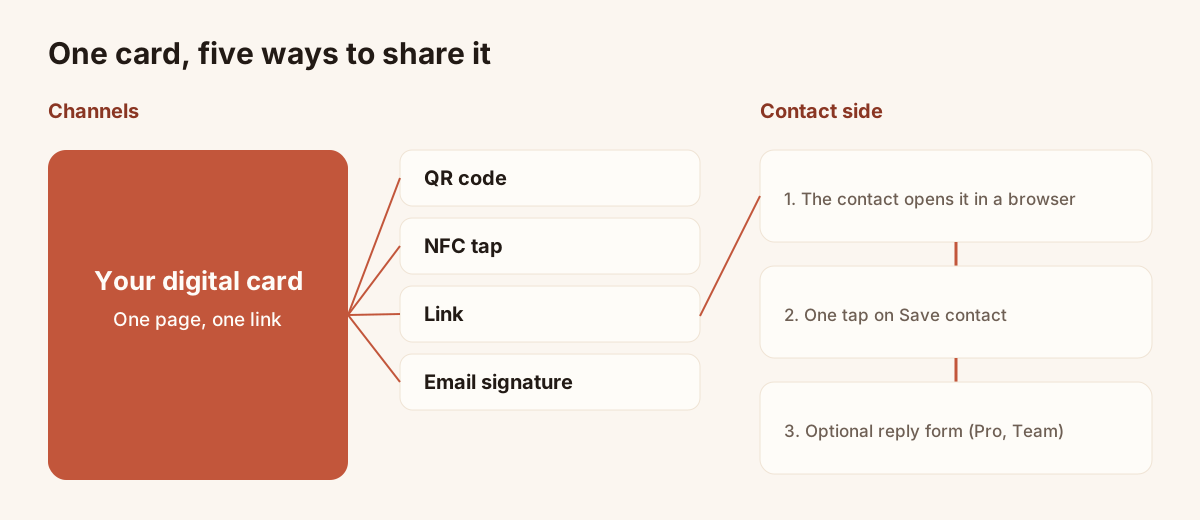
One card published once, five ways to hand it over.
The guide how digital business cards work goes through each step with the screens of the app.
Ways to share a digital business card
A card is only useful if it reaches the person at the right moment. Four channels cover most situations.
| Channel | Best moment | Needs from the contact |
|---|---|---|
| QR code | Face to face, on a screen, on a sticker or a paper card | A phone camera |
| NFC tap | Face to face, with a tag or an NFC card | A recent phone that reads NFC tags |
| Link | Messages, social profiles, chat in a call | A browser |
| Email signature | Every email you send | A browser |
The QR code and the link work from the day you publish. NFC is an extra: Piktechs does not sell a physical NFC card, but you can link an NFC tag or card you already own to your digital card. The article on how to share a digital business card describes each channel with its steps and limits.
Paper vs digital business cards
Paper is not obsolete, and the comparison is not a verdict. Paper needs no battery, no network and no explanation. Many people still expect to be handed one, and a card on a desk can start a conversation. Digital solves a different set of problems.
| Point | Paper card | Digital card |
|---|---|---|
| Handover | By hand, in person only | In person, by message, by email, on screen |
| Change of phone or job | New print run | Edit once, live at once |
| Information space | Limited by the card size | Photo, links, booking, presentation, files |
| Saving the contact | The other person types it or scans the card | One tap on "Save contact" |
| Risk of losing it | The card can be lost or thrown away | The link stays in messages and history |
| Knowing it was opened | Not possible | Possible with analytics in some tools |
| Capturing the other person | Not possible | Possible with a form on the card, in some tools |
| Cost | Design and print run for each batch | A plan or free tier, no reprint (see the cost analysis) |
| Network needed | No | Yes, to open the page |
| Handing over without a phone | Yes | No: you need a phone or a screen |
Two rows decide most cases. The first is the update: a paper card is frozen on the day it is printed. The second is the return channel: a paper card only goes one way.
At Piktechs we do not ask you to stop printing. Keep your paper cards, and put the QR code of your digital card on them. The paper card stays your handshake, and the digital one carries the details that change.
The contact you meet can leave their details too
A paper card goes one way: you give, they keep. A digital card can add a second way. With a reply form on the card, the person you just met can leave their name, email and a few answers. You then hold their details, not only the other way round.
In Piktechs, the reply form is a Pro and Team feature. It stores the visitor's consent with each lead, the data is hosted in the European Union, and the leads appear in Contacts, where you can qualify them and export them. HubSpot and Odoo connect natively, and other tools connect through Zapier or Make. A CSV export is always available.
This return channel is where the card meets the rest of the sales work. For a rep at a trade show, a name on a list helps little if nobody remembers the need behind it. With a form, a priority and a note, the lead reaches the CRM already qualified.
How to create a digital business card
Creating a card takes a few minutes. The steps are the same in most tools:
- Choose a tool and sign up.
- Enter your name, role, company, phone, email and website.
- Add a photo or a logo.
- Add the links that matter: booking page, professional network profile, shop.
- Pick a layout and your colours.
- Publish, then test the QR code with another phone.
Test before you share. Open the link on a phone that is not yours, press "Save contact", and check that the fields land in the right place.
The article how to create a digital business card walks through the steps with screenshots. On Piktechs, the Free plan gives one live card, so you can try it without paying.
Digital business card, vCard and QR code: how they fit together
The three terms are often mixed up, and they are three different things.
- A vCard is a file format for contact details. It describes a person.
- A QR code is a way to carry an address on a surface. It points somewhere.
- A digital business card is the page that brings both together, with a design, links and, in some tools, a form.
You can have a QR code that opens a vCard directly. That works and is simple, but the details are frozen in the file: change your number and the old file remains in every phone that saved it. A digital card keeps the address stable and the content editable. See how to create a vCard for the file route and its limits.
Are digital business cards worth it?
For most people who meet others for work, a free card costs nothing but a few minutes and answers a real need: details that stay current. The case becomes stronger when you change role or number often, when you work in a team that needs the same look on every card, or when you meet many people and want to keep track of them.
It is weaker for someone who hands out a handful of cards a year and never changes details. For that person, a paper card and a link in the email signature are enough.
The article are digital business cards worth it gives a method to apply with your own numbers, not a figure to trust blindly.
How to choose a digital business card tool
Tools differ on a short list of points. Compare them with this list instead of a feature count.
- The contact's side. Does the card open in a browser with no app and no account?
- Sharing. QR code and link as a minimum. NFC and your email signature if you use them.
- The return channel. Is there a form, consent handling and a list of the people who answered?
- Editing. Does an edit go live without resharing?
- Team use. One brand for all cards, roles, a way to take back a card when someone leaves.
- Data. Where is it hosted, and can you export it?
- Price. The free tier, the features behind a plan, and the price per seat for a team.
Piktechs plans, as of this writing: Free gives one live card. Pro costs EUR 9 per month (EUR 84 per year) and gives five live cards, forms, Contacts, the Lead Scanner and analytics. Team costs EUR 15 per seat per month, with three seats minimum, five cards per seat, a brand kit, your own domain, roles and lead assignment. A 14-day trial applies to Pro and Team. The pricing page holds the current figures.
For a comparison across products, read how to compare digital business card apps.
Limits to know before you switch
A digital card has limits, and it is better to know them first.
- It needs a phone or a screen. If the other person has no phone at hand, a paper card still works. Keep a few.
- It needs a network to load. In a hall with poor coverage, the page can be slow. A QR code on a paper card and a saved contact before the event help.
- NFC is not universal. Older phones do not read tags, and settings can switch the reader off. The QR code is the fallback.
- Habits change slowly. Some contacts expect paper. Offering both costs little.
- Privacy matters. A card that collects details must state the use of those details and record consent.
On Piktechs, an Android app exists on Google Play. There is no iOS App Store app: on an iPhone, Piktechs runs in the browser. The person you meet installs nothing in either case.
Who uses a digital business card
The format fits several situations, with different weight on each feature.
- Freelancers and independents. One link for the email signature and the social profiles. Free tier is often enough.
- Sales reps in the field. The card is shared at the end of a meeting, and the reply form captures the contact for follow-up.
- Trade show teams. A QR code on the stand leads to the same card and form for every visitor.
- Teams and companies. One layout and one brand for everyone, managed in a team workspace, with leads assigned to the right person.
- Recruiters, consultants, event hosts. Anyone who meets many people briefly and wants the details to travel with the link.
Where to start
A short path that costs little:
- Create one card and test it on two phones.
- Put the QR code on your paper cards and the link in your email signature.
- Share it in your next three meetings and note how it goes.
- Decide whether you need a form, analytics or a team set-up.
You can create your free card on Piktechs and stay on the Free plan as long as one live card is enough.
Frequently asked questions
What is a digital business card?
A digital business card is a web page with your contact details, photo and links. You share it by QR code, NFC, link or email signature. The contact opens it in a browser and saves your details to their phone, without an app or an account.
What is the difference between a digital business card and a virtual business card?
In common use, the two terms describe the same thing. "Virtual" stresses that the card is sent online or shown on a screen. Check the product itself: a link that opens in a browser, a save button and an editable page make it a digital card.
What is a business ecard?
"Ecard" is shorthand for electronic business card. The term is older than current tools and has covered images, attachments and apps. Treat it as a synonym of digital card once the card has its own link, saves in one tap and can be edited after sharing.
Does the person I meet need an app?
No. The card opens in the browser of any phone, from a QR scan, an NFC tap or a link. The contact is saved in one tap. Only you, as the card owner, have an account.
Can a digital card replace a paper card?
It can, but you do not have to choose. Many people keep a few paper cards, with the QR code of their digital card printed on them. The paper card is the handover, and the digital one holds details that stay current.
Read next
 Guide
How Do Digital Business Cards Work? QR Codes, NFC, Links and vCards Explained
QR code, NFC, link or vCard: see how digital business cards work, how contacts get saved on iPhone and Android, and how leads follow.
 Article
Are Digital Business Cards Safe? Privacy, Security and GDPR
Check the data a digital business card shares, who can see it, and how to stay GDPR compliant when you collect leads with a card or a QR code.
 Article
Digital Business Cards for Teams: Brand, Manage and Track Every Card
Roll out digital business cards to your whole team: one locked brand kit, roles, lead assignment and stats per card, from EUR 15 per seat.
 Article
Best Digital Business Card Apps, Compared Honestly
We compare the best digital business card apps on price, CRM sync, team features and GDPR, so you can pick the right one.
 Article
How to Create a Digital Business Card on iPhone
Create a digital business card in Safari on your iPhone, add it to the Home Screen and share it by QR code, link or NFC tag. No app needed.
 Article
How to Make an Electronic Business Card for Your Email Signature
Create an electronic business card for Outlook or Gmail, and compare it with a live card link in your signature that shows views and contact saves.
Create your digital card
The Free plan includes one live card. No app needed for the people who receive it.