Getting started
The basics and plans. · 6 articles
What can I do with Piktechs?
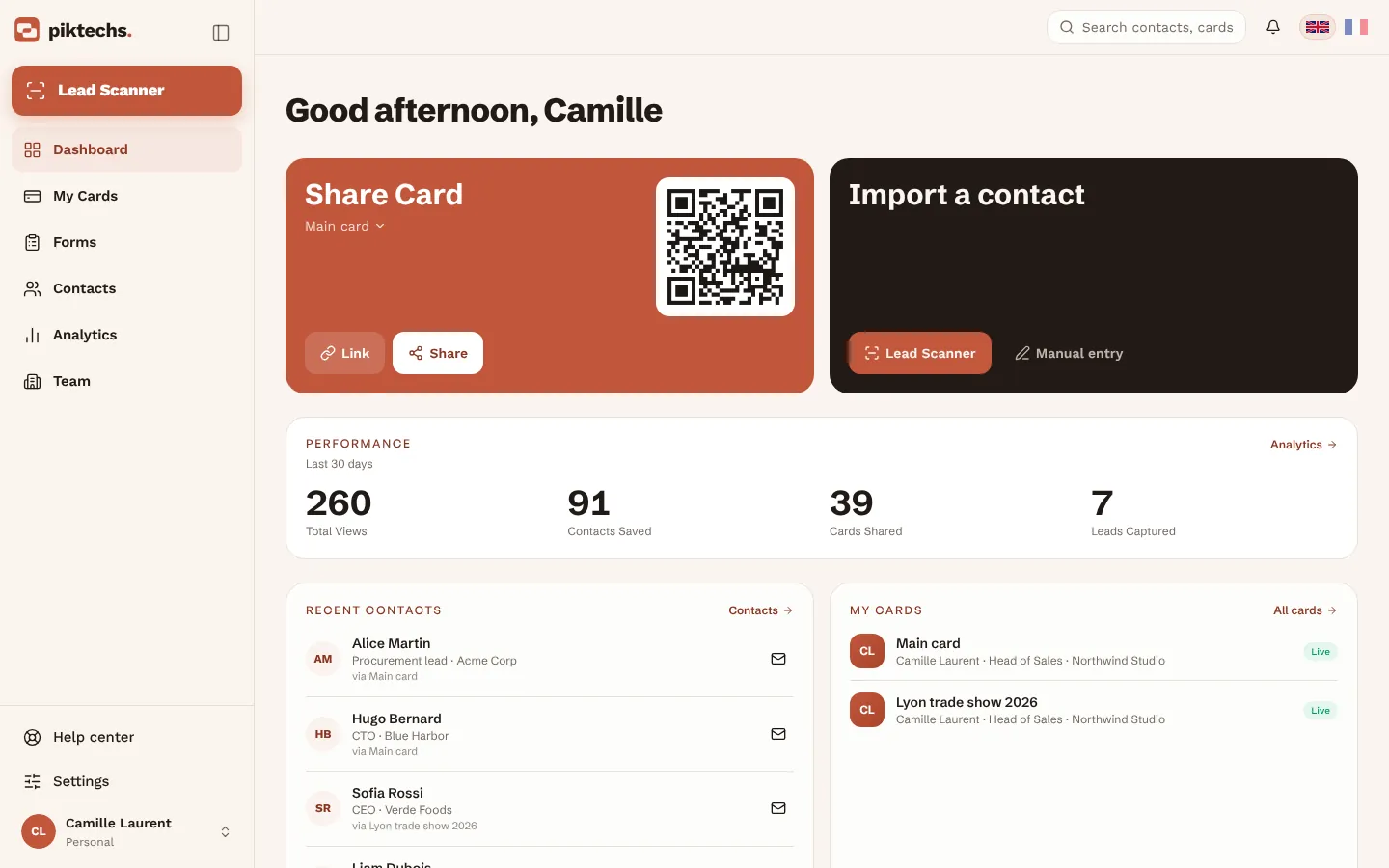
Piktechs links your field sales team to your CRM. Capture leads with your digital card, the Lead Scanner or by hand. Qualify them on the spot with a priority, tags, notes and reminders. Sync them to HubSpot, Odoo, Zapier or Make, or export a CSV.
What does each plan include?
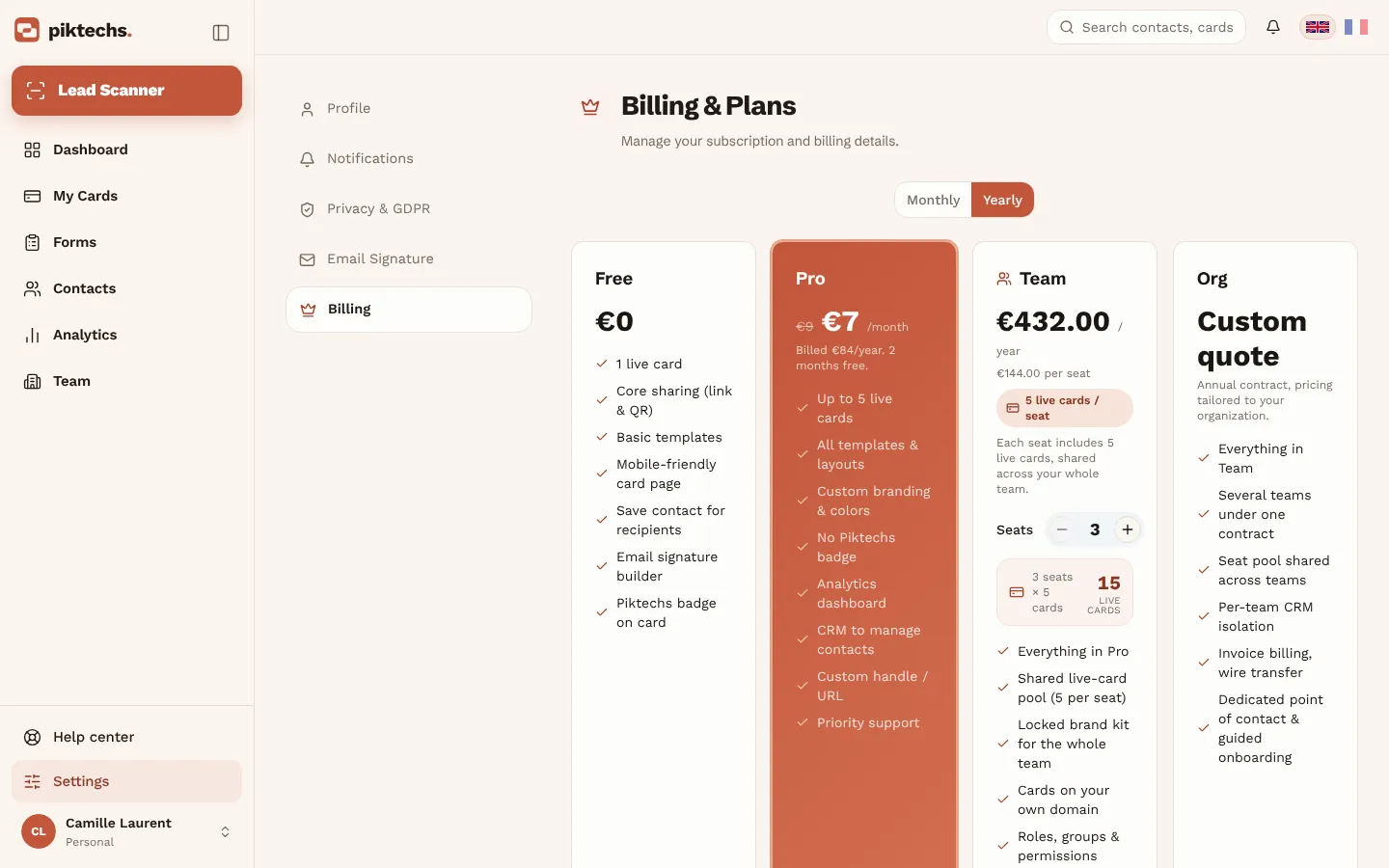
Free: 1 card. Pro: 5 cards, forms, Contacts and analytics. Team: 5 cards per seat (3 seats minimum), a shared workspace and lead assignment. Compare plans in Settings → Billing.
How do I create a Piktechs account?
Sign up for free with your email address. No credit card is needed for the Free plan, and it has no time limit.
What is the difference between a draft and a live card?
Drafts are unlimited on every plan. Only published (live) cards count toward your plan: 1 on Free, 5 on Pro, 5 per seat on Team.
Does the person I meet need an app?
No. Your card opens in any phone's browser from a QR scan, an NFC tap or a link, and your contact is saved in one tap (vCard).
How do I change the language?
Use the language picker in the top bar (on a phone, in the menu). The site, the app and your public card are available in French and English.
Digital cards
Create and publish your cards. · 6 articles
How do I create my first card?
- In “My cards”, click “New Card”.
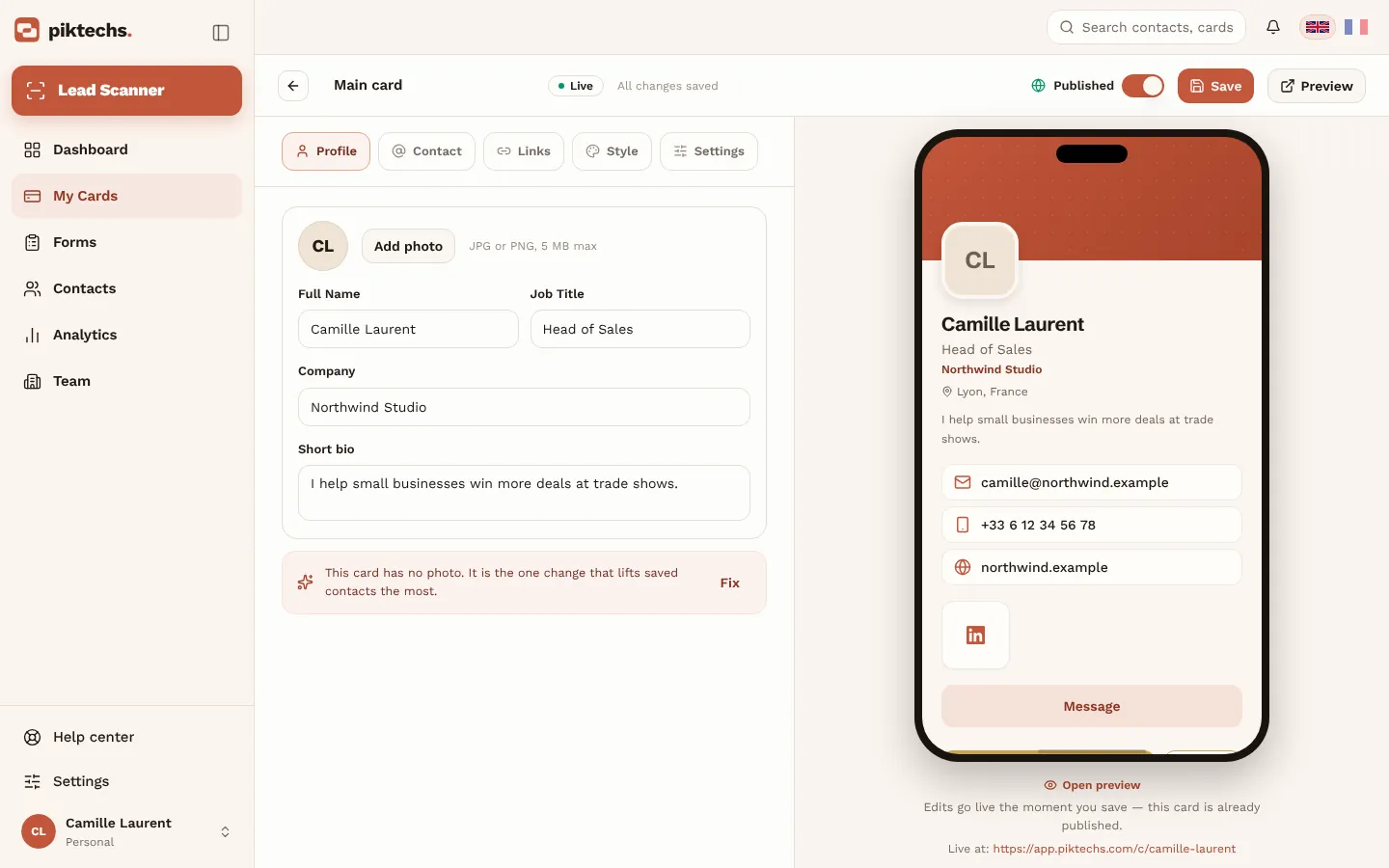
- Fill in your profile: photo, name, job title, company.
- Add your contact details and social links.
- Pick a style.
- Save, then click “Publish”.
How do I edit or take a card offline?
In “My cards”, click “Edit”: changes go live when you save. Taking a card offline deletes nothing, you can publish it again later.
Can I create several cards at once?
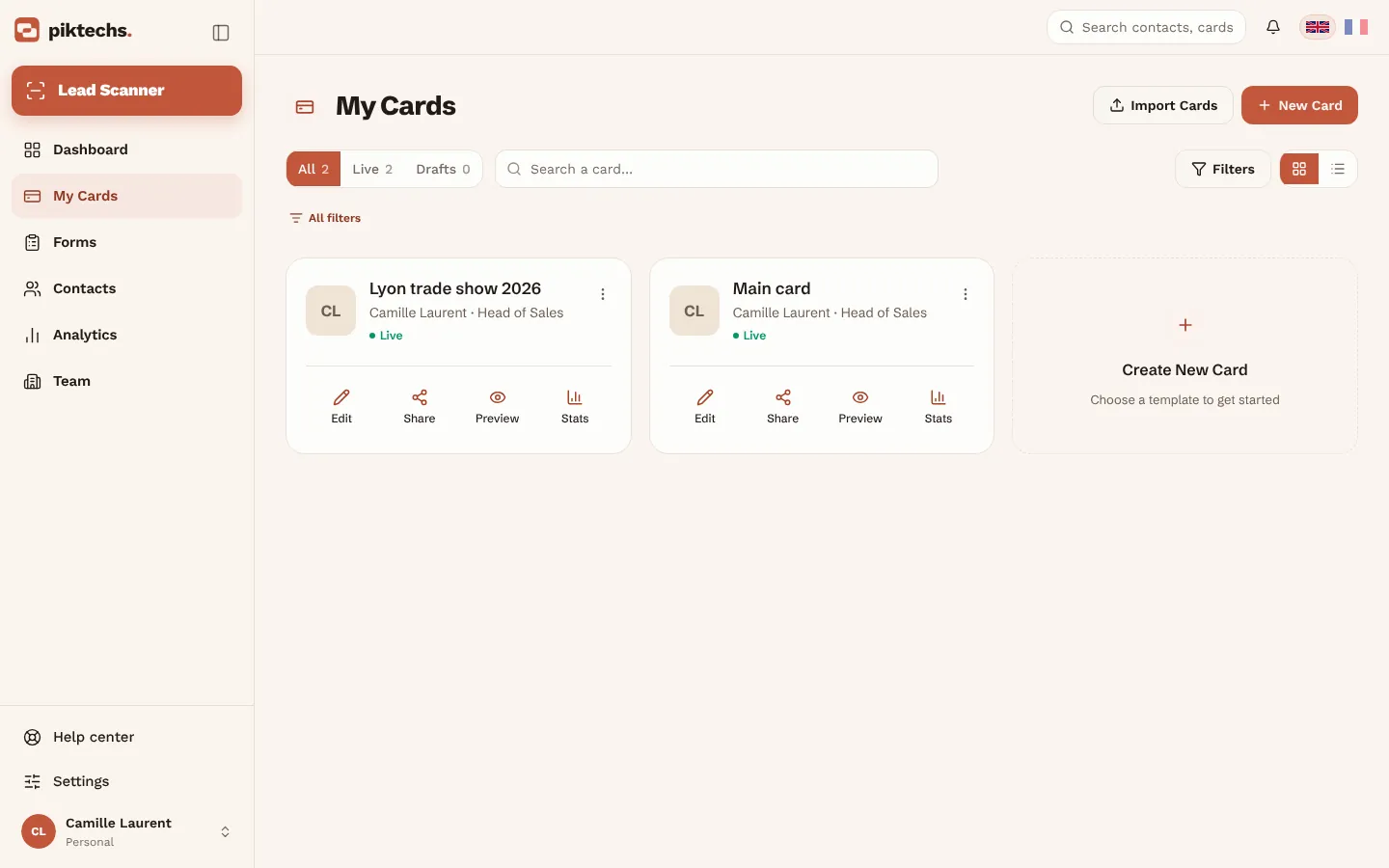
Yes: “Import cards” in “My cards” creates one card per CSV row, within your plan's limit.
How do I add my card to my email signature?
- Open Settings → Email signature.
- Choose the card and the layout.
- Copy the signature and paste it into your email client.
Can I use my own address or domain?
Pro lets you choose a custom address for your card. Team adds your own domain.
Sharing & analytics
Share your card, see results. · 5 articles
How do I share my card?
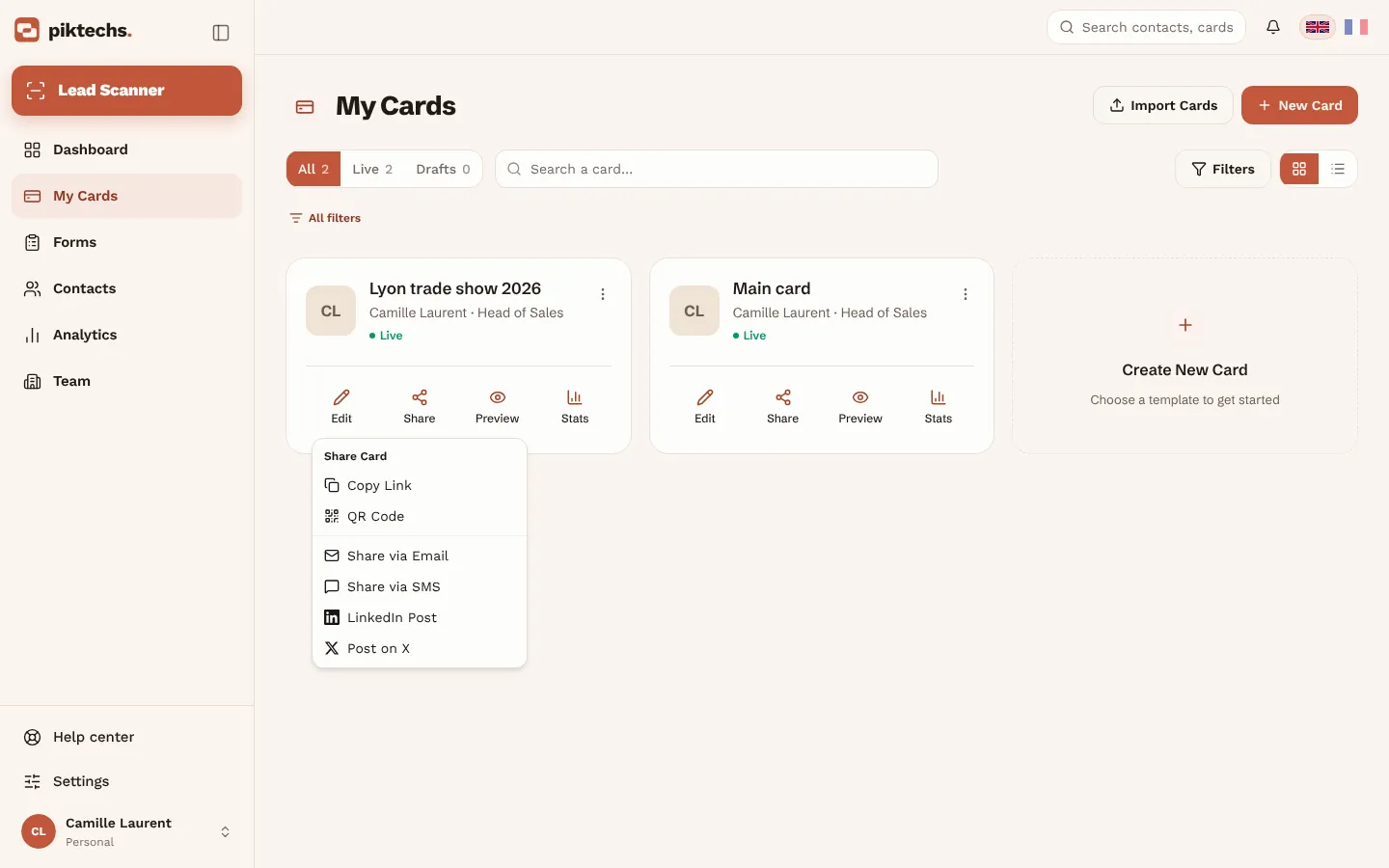
Publish the card, then click “Share” in “My cards”: link, QR code, wallet pass. A Piktechs NFC card also opens it on a phone.
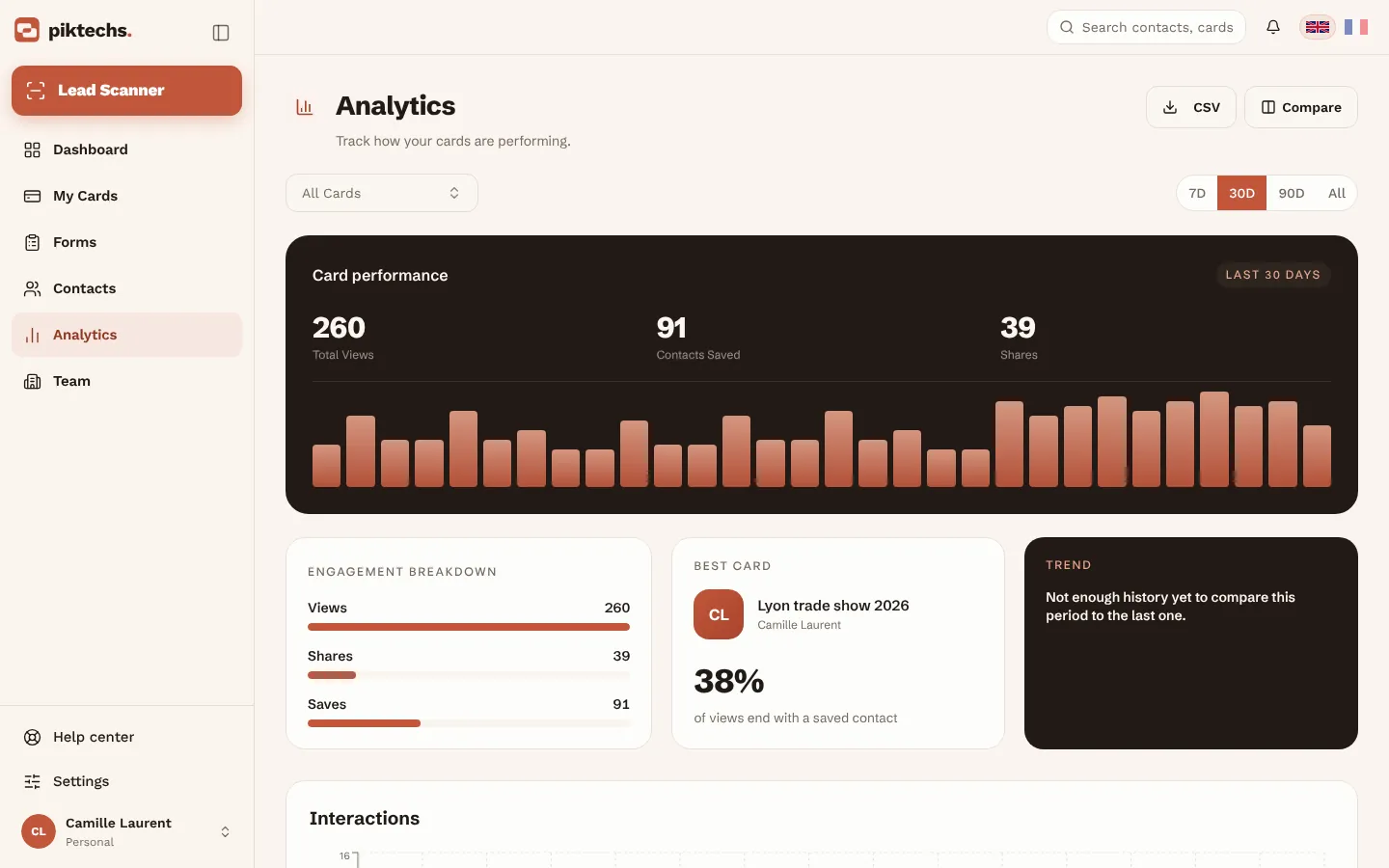
What do analytics show?
Card views, contact saves and new leads.
How do I link an NFC card or tag to my card?
Tap the NFC tag with your phone. If it is not linked yet, Piktechs asks you to sign in, then to pick the card it should open. From then on, every tap redirects to that card.
Do I need an NFC card to use Piktechs?
No. The QR code and the link work out of the box. NFC is an extra way to share, on recent iPhone and Android phones.
Lead Scanner
Capture paper cards. · 4 articles
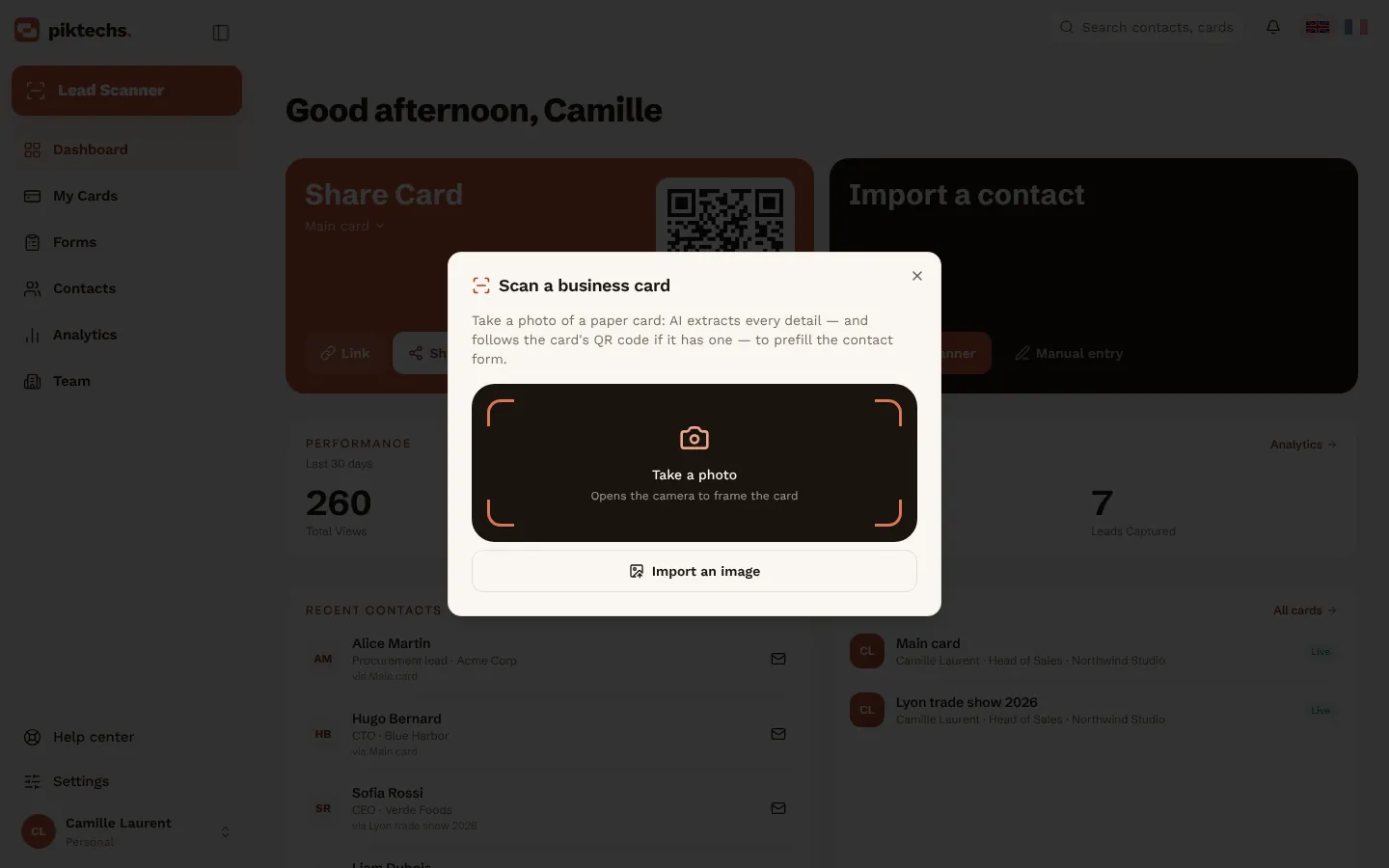
How do I scan a paper business card?
- Open “Lead Scanner” (on a phone, the round button in the bottom bar).
- Take a photo of the card, or import an image.
- Check the fields that were read, add a note or a priority.
- Save: the lead is added to Contacts.
How do I get a good scan?
Lay the card flat in good light, fill the frame, avoid reflections. HEIC images are not supported: use JPEG.
Can I add a contact without scanning?
Yes: in Contacts, click “Add contact” and type the details.
Does the scanner work offline?
Yes. Leads are kept on your device and sync when you are back online.
Forms
Qualify leads with your questions. · 6 articles
What are forms for?
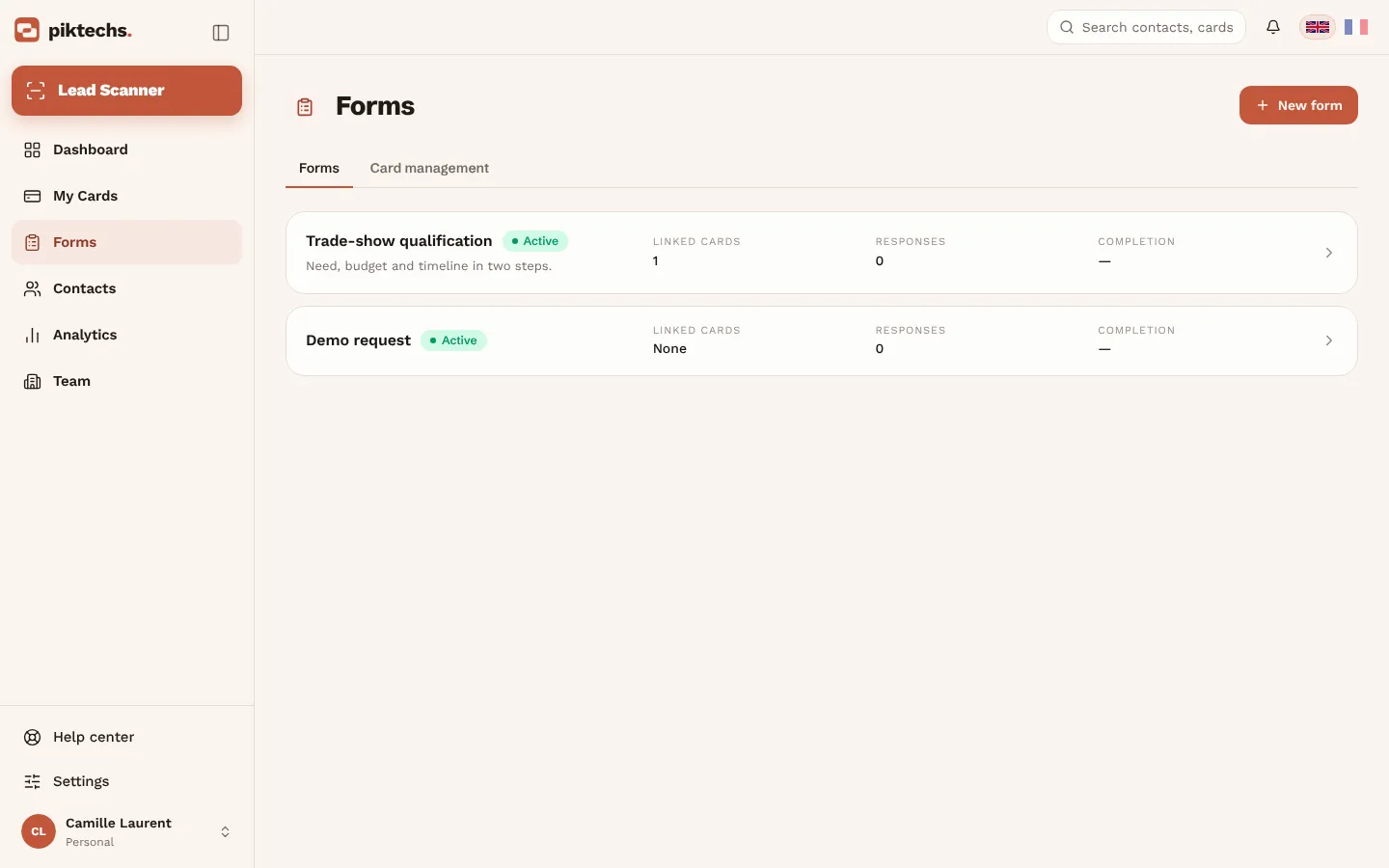
Visitors answer your questions from your card (budget, need, timeline…) and the answers are saved on the lead. Pro and Team plans.
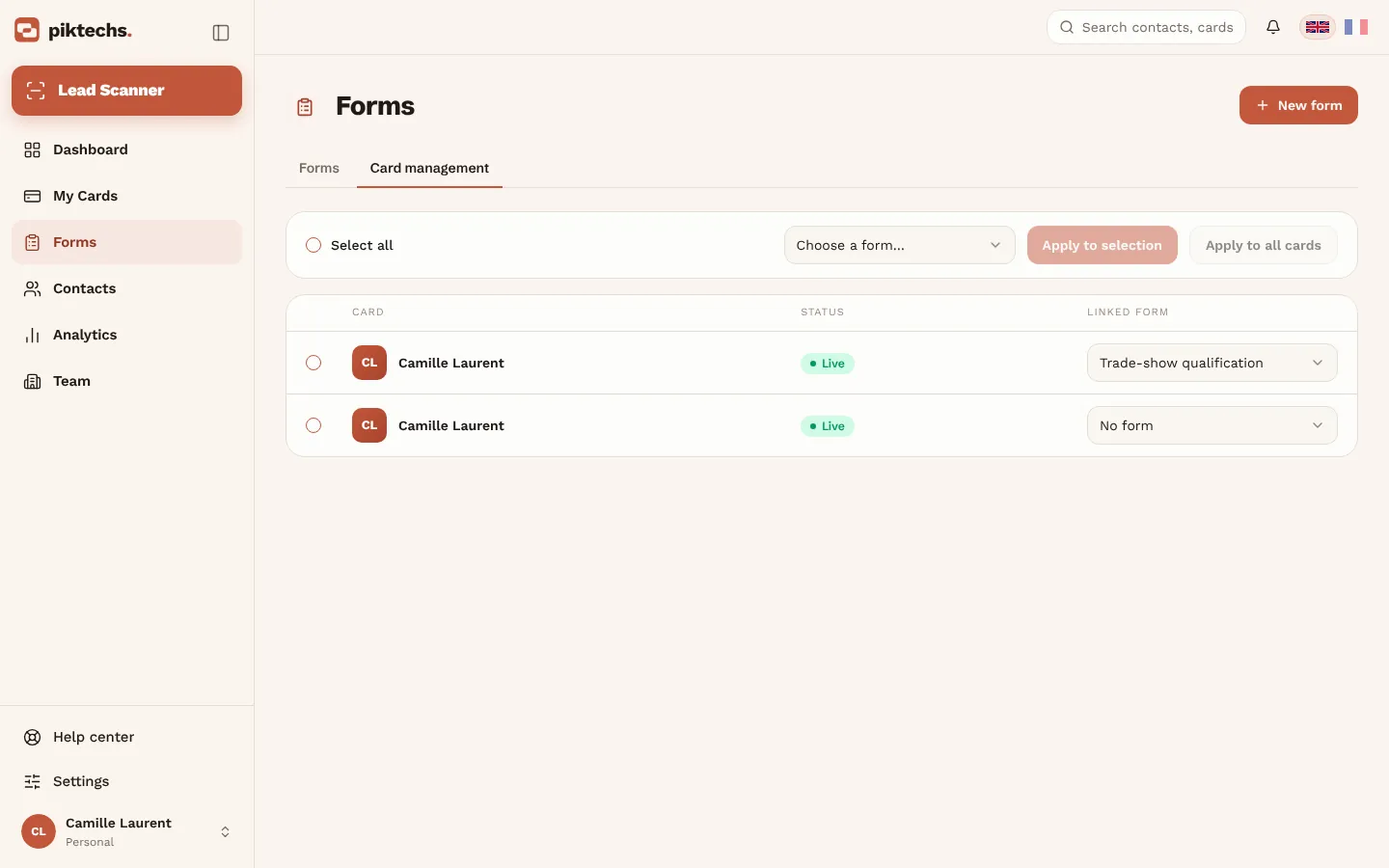
How do I create a form?
- In “Forms”, click “New form” and name it.
- Add fields: text, email, phone, choices…
- Link fields to contact details (name, email, company…). The others become qualification questions.
- Split a long form with “Add a step”.
- Check the “Preview” tab, then save.
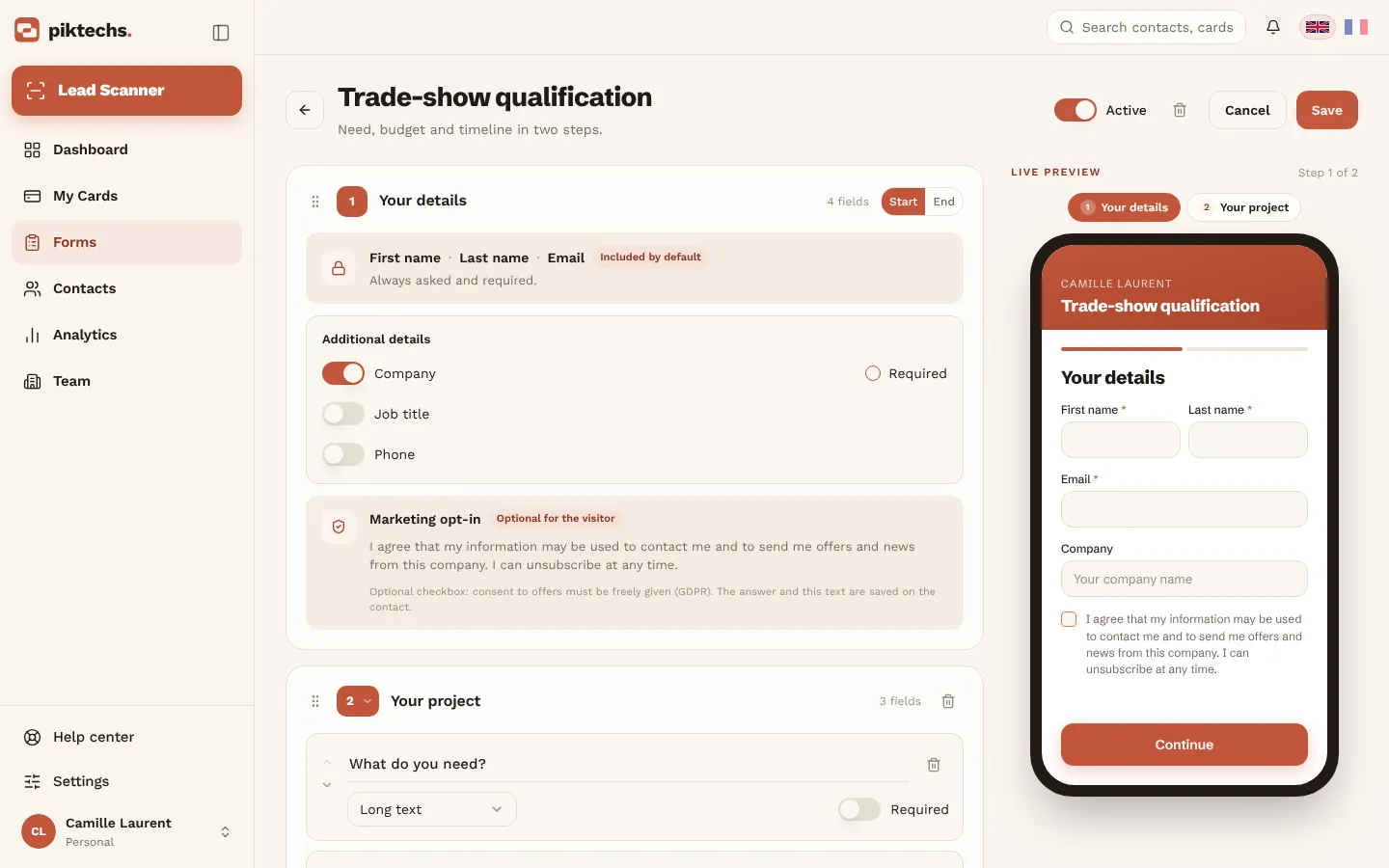
How do I activate a form on my cards?
- In “Forms”, open the “Card management” tab.
- Choose a form for each card, or select several cards and apply it at once.
- Or pick it in the card editor, “Settings” tab.
Can my team use my forms?
Forms created in a team workspace belong to the team: every member can use them, admins can edit them.
What happens if I delete a form?
It is deleted for good. Cards that used it go back to their own questions.
What if the visitor has no signal?
Leads left on your card are queued on the visitor's phone and sent when the network returns.
Contacts & CRM sync
Follow up and sync your leads. · 9 articles
Where do my leads arrive?
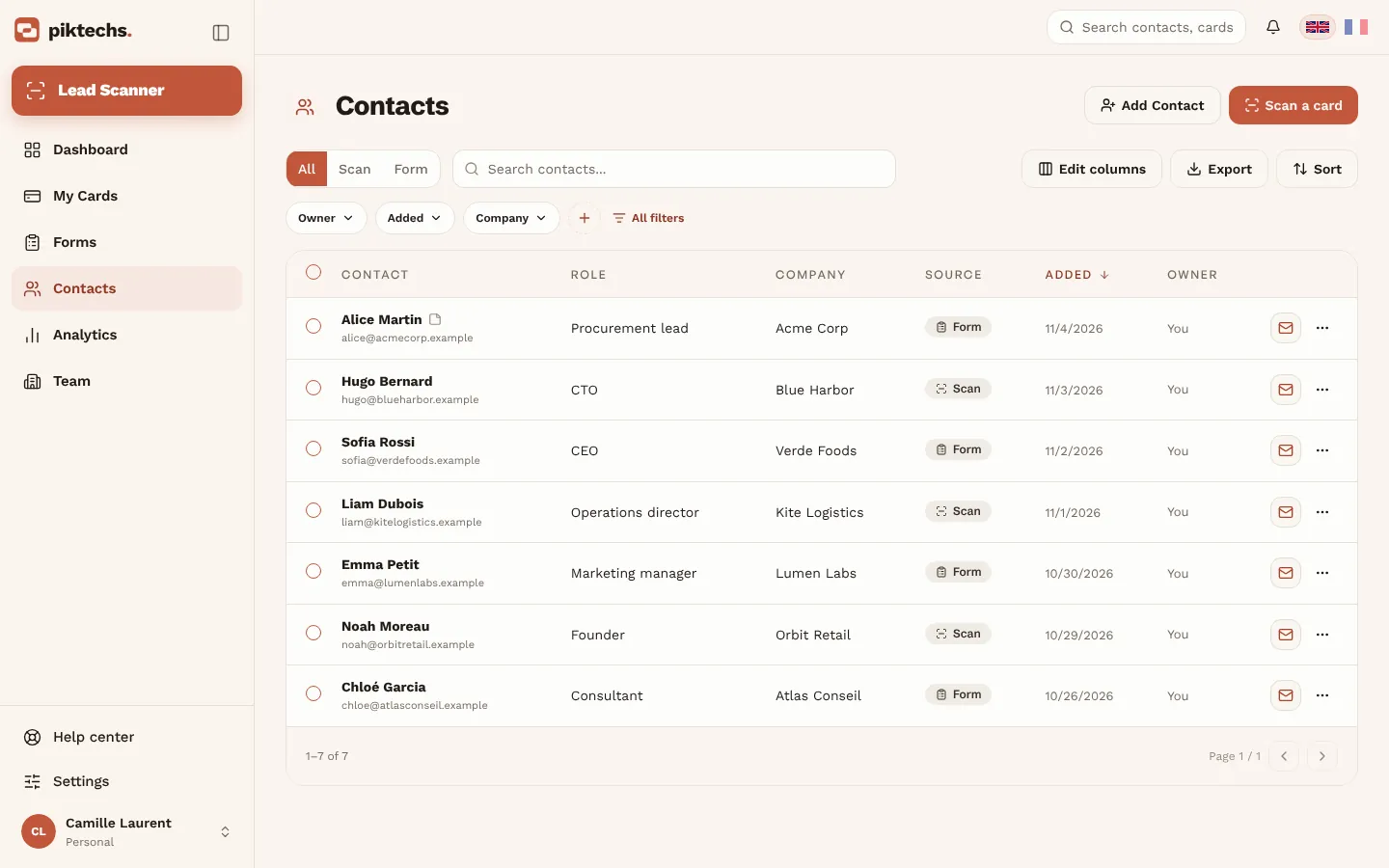
In Contacts: scanned cards, manual entries and form answers, in one list with their source.
How do I follow up a lead?
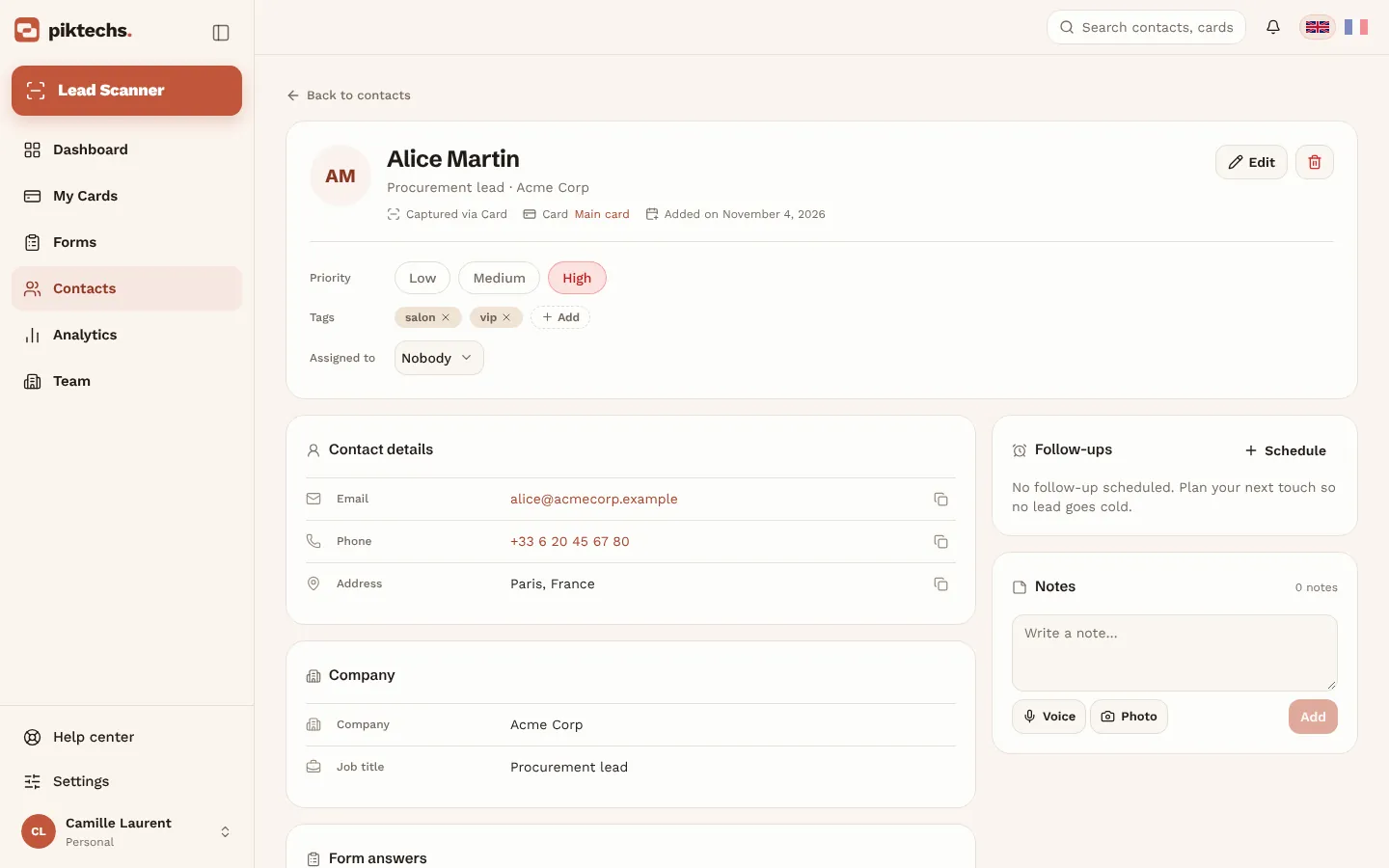
- Open the contact.
- Set a priority and tags.
- Add notes or a voice note.
- Schedule a follow-up reminder.
Are voice notes transcribed?
No. They are recorded as is, up to two minutes, and can be played back from the contact. You can also type a note.
How do I find the leads of one specific trade show?
Add the show's name as a tag when you qualify, or filter your contacts by date and by member, then export the selection as CSV.
How do I export my contacts?
In Contacts, click “Export” to download a CSV.
Can I sync contacts with my CRM?
Yes. An owner or admin connects HubSpot, Odoo, Zapier or Make in Team → Integrations. New leads are then sent automatically. “Sync now” sends existing contacts to HubSpot or Odoo.
How do I connect HubSpot?
- In HubSpot, create a private app with the contacts scope (Settings → Integrations → Private Apps).
- Copy its access token.
- In Piktechs, open Team → Integrations and paste the token.
What does my CRM receive?
HubSpot and Odoo: name, email, phone, company and job title, plus the message if mapped in “Field mapping”. Zapier and Make: the full lead, with source, tags, notes and form answers.
Is Piktechs a full CRM?
No. Piktechs covers the field: capture, qualification, notes and reminders. Your CRM stays the system of record and Piktechs feeds it. No CRM yet? Work from Contacts and export as CSV.
Teams
Members, brand kit and lead assignment. · 5 articles
How do I invite my team?
- Open “Team” → “Members”.
- Invite each colleague by email.
- They join through the invitation link.
What does the brand kit do?
It locks your colours, logo and style on every card of the team, so each rep's card stays on brand.
How are leads assigned?
On Team, each lead is assigned to a member or a group, and roles and permissions decide who sees what.
Can I add or remove seats?
Any time from your workspace. An added seat is billed pro rata immediately; a removed seat takes effect at the end of the paid period.
We have several teams. Which plan fits?
Organisation: several teams share one card pool and one contract, with invoice billing. Contact us for a quote.
Plans & billing
Trial, subscription, invoices and cancellation. · 5 articles
How much does Piktechs cost?
Free: 1 live card, forever. Pro: €9 a month or €84 a year. Team: €15 per seat per month, from 3 seats. Organisation: on quote.
How does the 14-day trial work?
Pick Pro or Team, enter a payment method, and use everything for 14 days. Cancel before the trial ends: nothing is charged. The trial is for first-time subscribers.
How do I change my plan or update my payment details?
In Settings → Billing: change plan, download invoices, update your card. There is no commitment: cancelling takes one click.
What happens to my cards if I stop paying?
You go back to Free: one card stays online, the others go offline and Pro features are suspended. Come back within 90 days and your cards are restored as they were.
Can I subscribe from the Android app?
Yes, Pro can be subscribed in the Android app, at the price shown by Google Play. One active subscription per account, whatever the channel.
Data & privacy
GDPR, hosting, export and deletion. · 3 articles
Where is my data hosted?
In the European Union, under GDPR. Consent is recorded on your card's form.
Can I export my data?
Yes, at any time: export your contacts as CSV from Contacts.
How do I delete my account?
From your account settings. Deletion permanently removes your cards and contacts and cancels any active subscription. If you own a team with members, delete the team or remove its members first.
Still need help?
Write to us: we reply within 1 business day, in French or English.